Disclosure: Enthu.AI is one of the platforms reviewed on this page. It has been assessed using the same evaluation criteria applied to all other tools.
We have a commercial interest in Enthu.AI’s success, and we encourage you to review independent ratings on G2 and Capterra alongside this article.
It used to be that quality monitoring in contact centers was basically a guessing game.
Supervisors would pull maybe 5% of calls – if they were lucky – and try to coach a whole team based on those tiny, random snapshots. You’d inevitably miss the big patterns because you just weren’t seeing enough of the picture.
Now, with AI, that bottleneck is gone. We’re finally at a point where we can actually look at every single interaction in real time. It’s not just about compliance anymore; it’s about catching a shift in a customer’s mood the moment it happens.
McKinsey actually backed this up, noting that AI-driven QA hits over 90% accuracy. When you compare that to the 70% we were seeing with manual scoring, while also cutting costs in half, the shift becomes a no-brainer.”
Let’s talk about the math behind better customer experience – because the numbers are getting hard to ignore.
Data from the SQM Group shows that for a typical mid-sized contact center, improving your first-call resolution by just 1% puts $286,000 back in your pocket every year. That’s a massive win, and it’s exactly why 91% of service leaders are now under direct orders from the C-suite to get AI right.
It’s not just about cutting corners or being “efficient”; it’s about finally moving the needle on customer satisfaction. If you’re looking to meet that mandate, the right call monitoring software isn’t just a tool – it’s the foundation you’re building on.
We’ve rounded up the 10 best call monitoring platforms hitting the market in 2026 – from AI-first newcomers to the heavy-hitting WFO suites and niche QA tools. To save you the legwork, we’ve broken each one down by what actually matters: core features, real pricing, and honest feedback from users on G2 and Capterra.
Whether you’re managing a tight-knit 20-seat BPO or a massive 500-seat enterprise, you’ll find a solution here that actually fits your scale and your budget.
Read Blog: AI Call Monitoring: The Complete Guide to Smarter Quality Assurance in 2026.
A. What is call center quality monitoring software?
Call Center quality monitoring software records and evaluates customer conversations – usually calls, sometimes chats or emails – and scores them against criteria your team sets. Think of it as a structured way to answer the question: are our agents actually handling calls the way we think they are?
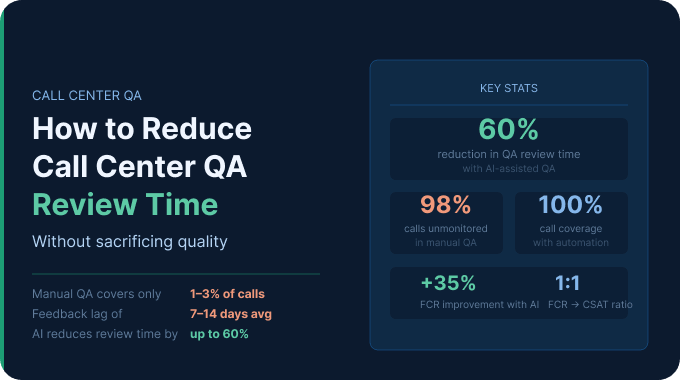
Most teams try to do this manually first. A supervisor picks a few calls a week, listens in, fills out a scorecard. It works, kind of, but the sample size is the problem.
A team of 50 agents might generate 2,000 calls a week. Reviewing 30 of them means 1,970 go completely unexamined – including the complaint that escalated, the disclosure that got skipped, the agent who’s been handling a specific objection wrong for three months.
Quality monitoring software doesn’t eliminate the need for human judgment. What it does is make sure you’re looking at a lot more of what’s actually happening, not just the calls someone happened to pick that Tuesday.
Most teams that get real value from this software do one thing differently: they make sure every evaluation leads to an actual conversation with the agent, not just a score sitting in a report.
B. What should you look for in a call quality monitoring software?
There’s no shortage of options, and most of them claim to do the same things.
A few questions will separate the tools worth evaluating from the ones that look good in a demo and create problems six months later.
i. What does transcription accuracy look like on your calls, specifically?
Vendors have internal accuracy benchmarks that mean very little for your situation.
Accuracy drops with accents, background noise, fast talkers, and industry-specific terminology. Before committing, ask to run a proof-of-concept on a sample of your actual recordings: a handful of calls is enough to get a realistic picture.
Production-grade QA platforms should clear 85% word accuracy as a floor.
The better ones hit 90%+ on standard calls. If a vendor won’t run a real test on real data, that hesitation tells you something.
At Enthu.AI, we have an open system where you can upload your calls and immediately see the transcription accuracy. Try it here.
ii. What percentage of calls get scored – and what are you paying for?
The “100% coverage” pitch is everywhere right now. Every vendor leads with it.
Before coverage percentage means anything, figure out what’s actually in your call volume.
Most contact centers have 20-35% of their recorded interactions that don’t need QA analysis: short-duration calls below a meaningful threshold, internal transfers, after-hours voicemails.
If a platform can’t filter those out before they hit the analysis engine, the “full coverage” number is inflating your bill without improving your QA.
What to look for instead: can you define what gets analyzed? Minimum call duration, call type, queue, direction – inbound only versus all calls; and so on. A platform that gives you control over the analysis scope lets you focus resources where they actually matter and keeps costs in check as your volume grows.
The right coverage number for your team isn’t always 100%. It’s whatever percentage covers the interactions where agent behavior, compliance, and quality actually vary.
iii. Where does a score go after it’s given?
Most platforms are genuinely good at producing scores.
Fewer have a clean path from score to feedback to improvement. You want to see how a flagged call becomes a coaching conversation, who gets notified, and how the system tracks whether anything changed afterward.
If the answer involves exporting data to a spreadsheet and managing follow-up manually, you’ll end up doing the same things you were doing before, just with better-looking charts.
Workflows that result in better call outcomes are extremely important.
iv. Is the software flexible for future scorecard changes?
Every platform looks flexible before you’ve bought it. The real test is later – when a compliance requirement changes or you realize the original rubric isn’t quite capturing what matters anymore.
Ask the vendor upfront: what’s the process for updating scoring criteria, and how long does it take? And do you have to pay for professional services to get the changes live?
A platform with no clear answer to that question will quietly fall behind your actual standards, and your agents will start getting scored on how things used to work.
The mechanism matters less than the responsiveness. What you need is criteria that reflect how your team operates today.
v. What does the pricing look like when your volume grows?
Most vendors are happy to give you a number for your current call volume.
The question worth asking is what happens when that volume increases by 30%, does the cost scale linearly, does it jump to a new tier, or are there per-minute analysis charges that compound quickly?
Platforms that lead with “unlimited calls” often have ceiling clauses buried in the contract.
vi. How responsive is support once you’ve signed?
Pre-sales response times tell you nothing about post-sales support. The evaluation period is the one time every vendor is motivated to answer quickly.
What to check before committing: is there a named customer success contact, or does every issue go into a general support queue? What’s the stated SLA for a configuration issue versus a critical bug?
Talk to a current customer if you can.
The gap between how a vendor sells and how they support is usually where the real product experience lives.
B. Which call monitoring software tools are best in 2026?
Here’s a comprehensive list of 10 call center quality monitoring systems:
| Tool | Best For | G2 Rating | Key Features | Contextual AI scoring | Pricing tier |
| Enthu.AI | SMB to mid-market (20 to 400 agents) | 4.9/5 | 98%+ transcription accuracy, 100% configurable, DIY for 95% configurations, | Yes | SMB/Mid-market |
| Calabrio ONE | Enterpises + Workforce Management needs (upwards of 1000 agents) | 4.5/5 | Evaluation forms, scorecards, performance reports, ML-driven analytics, journey tracking | No (keyword based) | Enterprise |
| Playvox | Automated QA workflows and scorecards | 4.8/5 | Employee scheduling, performance tracking, interaction screening, workflow automation | Partial | Enterprise |
| Scorebuddy | AI auto-scoring with customizable evaluations | 4.5/5 | Flexible scorecards, AI analytics, customized coaching, and resource management | No | SMB |
| Zendesk QA (KlausApp) | For Zendesk ecosystem only | 4.5/5 | Real-time call recording, CRM integration, dashboards, reports, Aircall integration | No | Mid-market |
| CallMiner | Enterprise Niche (upwards of 1000+ agents) | 4.5/5 | Omnichannel collection, speaker separation, playbooks, redaction, sentiment analysis | Partial (keyword based) | Enterprise |
| Tethr | Predictive analytics and effort reduction | 4.8/5 | Sentiment tracking, churn addressing, Tethr effort index, agent impact score, coachable insights | Yes | Enterprise |
| Observe.ai | BPOs & service teams (upwards of 500 agents) | 4.6/5 | AI-driven search, intuitive moments builder, built-in intelligence, sentiment detection | Yes | Enterprise |
| Talkdesk | For Talkdesk ecosystem | 4.4/5 | Call recording, conversation screening, multi-channel transcription, time-stamped annotations, AI-based speech analytics | Yes | Enterprise |
| EvaluAgent | For Manual/semi automated QA | 4.5/5 | CRM integration, LMS integration, multi-channel recording, automated compliance, rating interactions | Partial (keyword based) | SMB/Mid-market |
1. Enthu.AI
Enthu.AI offers call center quality assurance software end-to-end solutions. It makes the monitoring process and quality assurance fast.
It is more focused on providing results of high-quality outcomes. So it doesn’t involve wasting time listening to every single conversation.
As one of the most capable call center monitoring tools available today, Enthu.AI will improve your contact center through systematic feedback collection and speech analysis.
Enthu.AI is capable of auto-surfacing calls that require urgent attention. It also helps skim through calls to find the essential ones instead of random sampling.
Enables the creation of customized QA hypotheses, sentiment analysis, and feedback forms. It also has a wide range of features to enhance your team’s performance.

The interface looks nice. Integrations are ready quickly. Have low costs, great monthly subscription. Best call transcription with analysis! Responsive team. Highly recommend!

Alex McConville
Head of Central Sales

Enthu. AI is an amazing and flexible conversational intelligence with strong integration capabilities. Provides high level of accuracy on call transcript and has strong word recognition.
Scott Bierbryer
Chief Revenue Officer
Best For:
- Use cases supported: Quality assurance, agency coaching, process improvement, customer experience.
- G2 Rating: 4.9 out of 5
- Languages supported: English, Spanish, Indian Vernacular
- Key features: 95%+ Speech to text accuracy, 100% call coverage, agent-wise analysis, custom call moments, custom evaluation forms.
- Pricing: Consumption based pricing (Starts with $6 per hour and goes down with volumes)
2. Calabrio ONE
As a cloud-powered platform, Calabrio ONE offers a user-friendly interface for call center monitoring software.
Contact center agents can record and track the journey of each customer. Agents can capture and fetch interactions across various channels.
It drives informative and predictive analytics driven by Machine Learning and Artificial Intelligence.
Based on these, the team and the management can make actionable plans. It has features like evaluation forms, scorecards, and performance reports.
These can engage the agents and play an essential role in evaluation. Accordingly, they can be trained to follow the necessary steps. These can lead to specific business goals.
We gathered countless genuine user reviews about Calabrio One from sites such as G2 and Capterra. We have focused on the key aspects that are crucial for practical use. Here’s what we found: Pros Zach C. For the most part, this is very user-friendly to use. Calabrio has so many different products that are geared to help your contact center from Quality Assurance to Workforce Management to coaching tools. Cons Harold S. Here in our company Calibro is also part of our scorecard , they are giving us a task that we need to work on and it should match on the schedule they provided however we noticed that our RTA can still change the information or the schedule even though it already past . We need some transparency or access to the information or history of changes in our schedule so. Playvox is a call quality monitoring software and management platform. It’s designed to simplify quality assurance monitoring. It has features like employee scheduling, performance tracking, interaction screening, and workflow automation. It can help transform customer service by motivating agents and streamlining agent training. It measures only relevant interactions. This speeds up the process of gathering customer feedback by . It eliminates manual processes of making spreadsheets or auditing. This gives team leaders the chance to meet customer expectations. It builds a healthy digital environment through chats, social media, etc. Best For Pros Elsede B. Playvox Quality Management is very useful when it comes to work. I can see the update of my daily performances and I can monitor my scores every now and then. It really helps me a lot when it comes to monitoring daily performances. Cons Shel B. I wish that there was a bit more room for flexibility in some spaces, but that may be due to our implementation. Its navigation could also be better, to be honest. I wish that the menu bar was a bit more user-friendly. Scorebuddy is considered one of the market leaders when it comes to call center QA software. It is engineered to save time and improve agent performance. It’s a platform that brings together multiple features that can improve customer experiences. Meanwhile, it enhances caller training and learning. It is an excellent ai tool for quality management, supported by advanced AI analytics. It delivers high-quality customer service and targeted and customized coaching. The impact is measurable with the help of this tool. It has flexible agent scorecard facilities. Thanks to them, managing resources becomes easier for an evolving environment. Countless genuine user reviews about Scorebuddy sourced from platforms like G2 and Capterra have been meticulously analyzed, emphasizing the vital aspects necessary for practical implementation. Pros Reynaldo Jr (DavidC) C. It Helps Improve our Call Handling and Quality Cons Sarah K. Sometimes the webpage would crash and entered values would not be saved in the cache. A proper link to external contants being embadded would be a nice fuction. This is the only think I missed when using it. It is possible that I just missed this function or didn’t use it correct. Klaus is designed with the objective of handling service desk tickets and tackling chats. It enhances the benefits of CSAT solutions to improve response rates and acknowledge written feedback. It further incorporates the ability of IQS. This helps monitor internal quality through team and agent performance tracking. Klaus’ integration with one of the top phone system – Aircall is one of the key features of this software. The tool features dashboards and reports. These are helpful in recognizing problems, identifying trends, and analyzing issues, making it a reliable call center monitoring system for support-focused teams. The platform plays a key role in making actionable decisions based on the above information for one-on-one training. Best For Pros Nataliia D. Klaus is a game-changer for our support team’s quality assurance efforts. Its intuitive interface and seamless integration with our existing tools have made it an instant hit among our team members. Cons Borislav B. One notable drawback is the learning curve associated with the program. The initial onboarding process may be somewhat challenging for new users, and it takes time for teams to fully grasp the functionalities of Klaus. Callminer is designed with the objective of understanding customers deeply, helping businesses develop new value. As a conversation analytics platform and one of the strongest call center quality monitoring software options for large enterprises, it can drive better decisions and organizational transformation It captures interactions on all channels and extracts usable insights from unstructured data. CallMiner is a comprehensive tool that uses AI and ML to help companies recognize patterns and analyze sentiments, making it one of the most powerful call center monitoring tools for omnichannel environments. 


3. Playvox Call Center QA Software
4. Scorebuddy Call Center QA Software
5. KlausApp (Zendesk)
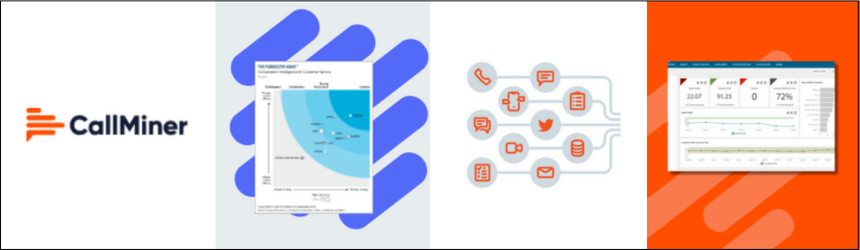
6. Callminer Call Center Quality Assurance Software
Best For
Pros
- 47% users on G2 praise the analytics and reporting depth of CallMiner, specifically the trend dashboards and root-cause views.
- ~50% users call out the customization capabilities – categories, scorecards and keyword queries shaped to business needs.
- 70% of customers value the supportive community and resources provided, including forums, training sessions, and customer support.
- Almost half the reviewers highlight the speech-analytics engine itself i.e. keyword and category search across each call.
Jason K.
I like the fact that there’s a tool that can score a chat/call/email for my consultants that I can then utilize during my 1:1 coaching sessions with each member of my team.
Cons
- One-third of G2 reviewers faced a real learning curve with CallMiner.They experienced significant complexity and time to master queries, categories and keyword searches.
- 13% of customers flag transcription accuracy on accented and noisy audio.
- Approximately 40% of customers require dedicated resources or personnel to use the platform effectively.
- The time to onboard on CallMiner Eureka is extensive, this impacts the product’s time value.
- Nearly half of the users face difficulties with the platform’s search functionality, impacting their ability to find specific insights efficiently.
Gianna P.
Can be overwhelming at first, someone has to teach you how to use the programe
CallMiner positions itself as depth-over-simplicity tool and the numbers confirm it.
Reviewers who love it praise the analytics capabilites. Reviewers who complain always mention the learning curve to get there – the highest percentage for any software in this list.
In addition, CallMiner needs a dedicated team to manage and run the software, something common in enterprises.
7. Tethr
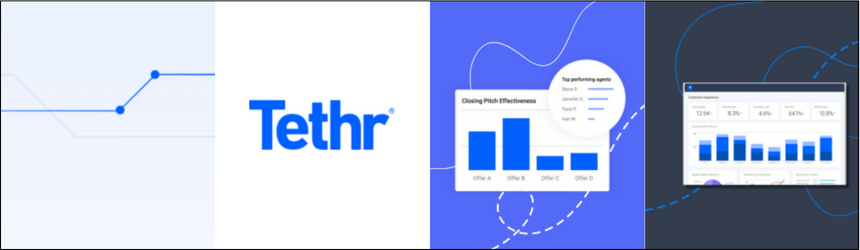
Tethr is a noteworthy platform for call recording and conversation analytics, and a solid choice as a call monitoring system built on machine learning foundations.
The tool provides automated insights derived from conversations and structures business intelligence to support essential decisions.
It synthesizes data from voice, chat, and email interactions and surfaces key data on dashboards, no digging required. For teams looking for the best software for call center QA with a focus on effort reduction and churn prevention, Tethr is worth a close look.
- Use cases supported: Customer experience, quality assurance, effort reduction
- G2 Rating: 4.8 out of 5
- Languages supported: English
- Key features: Track sentiments, address churn, Tethr effort Index, agent impact score, Coachable insights
- Pricing: Custom Pricing
After analyzing one thousand user reviews of Tethr from respected platforms such as G2 and Capterra, we thoroughly assessed the functionality, generating these insights.
Pros
- The software’s interface is user-friendly and easy to use. Also, it’s simple to learn and move around.
- The platform BI capabilities help users capture and analyze valuable insights through customizable reports and dashboards.
- 75% of reviewers mention that Tethr’s detailed breakdown of calls is a great feature, with lots of ways to filter and analyze customer conversations.
- 7 out of 10 users found that its quality assurance dashboards are helpful for real-time monitoring and performance evaluation.
- Tethr’s support team is great after the launch. They are quick to help and listen to feedback to improve things.
Arnel D.
I like Tethr’s innovation. Right now, we’re working on Predictive CSAT and Sentiment Analysis.
Cons
- Most customers aren’t happy with how it transcribes calls, pointing out mistakes and misunderstandings and showing a significant need for better transcription.
- 62% of users found it hard to use Tethr’s search tool, making it tough to find what they need easily.
- The software takes too long to transcribe calls, making it hard to review calls quickly.
- Tethr doesn’t work well with other programs, especially chat and social media, which shows a need for better ways to share and use data.
- More than half of users found Tethr hard to learn, making it difficult for new users to use. This shows a need for simpler features and better training.
Christopher A.
Some of the transcripts contain inaccurate data BUT the Tethr Ops Team is always very quick to help achieve understanding and even help come up with workable solutions to help narrow these down and even eliminate the issues.
One major drawback is that Tethr supports just one language- English
8. Observe.ai
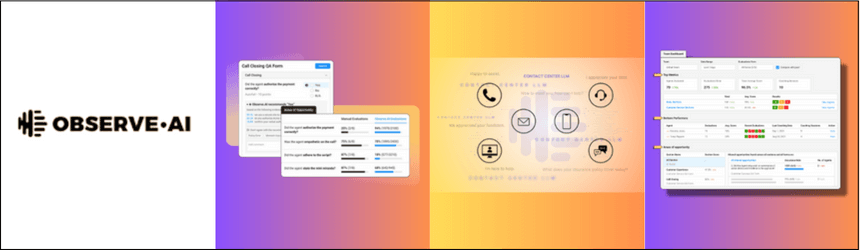
Observe.ai curates metrics to help monitor the whole team, as well as the individual agents, with efficacy.
It is an essential tool for contact centers, integrating AI into all customer conversations.
It tracks interactions and optimizes the performance of agents to retain important customers.
This platform is known for increasing the visibility of conversations.
It also derives business-enhancing data. By doing so, it empowers employees with AI-based evaluations.
Observe.ai is a smart tool equipped with the ability to detect sentiments.
This enables empathetic conversations for improved customer experience.
- Use cases supported: Quality assurance, agency coaching
- G2 Rating: 4.6 out of 5
- Languages supported: English, Spanish
- Key features: AI-driven search, Intuitive moments builder, Built-in intelligence
- Pricing: Custom pricing (Starts from $80 per agent per month)
We’ve extensively gathered genuine user feedback on Observe.ai from platforms like G2 and Capterra, concentrating on pinpointing the fundamental features.
Pros
- Most users found that Observe.AI’s interface is intuitive and easy to navigate, contributing to a positive user experience.
- Over 70% of customers reported that Observe.AI’s AI technology is really good at effectively capturing and analyzing customer interactions.
- Almost all users said the software is easy and quick to set up, indicating that it’s great for organizations trying to improve their customer service quickly.
- 8 out of 10 users praised the tool’s comprehensive coaching features because it can help them address specific behaviors and topics during coaching sessions.
- The tool provides valuable insights and trend analysis based on call data, which can be leveraged to improve overall performance and customer satisfaction.
Leland S.
There may be some missing words here or there, but you have to understand that sometimes the program does not pick up what is being said. The more and more I use it, the more and more I find something helpful that I can use to better my calls.
Cons
- Many users would like to improve the accuracy of call transcriptions, which makes it difficult to trust the data and coach agents well.
- Nearly 6 out of 10 users had trouble connecting the software with their existing telephony systems, making it tough to use despite its good features.
- Search functionality is average and could have been improved. This limitation could hinder users’ ability to locate and analyze specific call data efficiently.
- Observe.AI doesn’t always record whole calls that could impact the effectiveness of quality assurance processes and coaching sessions.
- Over half of the users expressed concerns about the lack of customization options, particularly regarding moments and scoring criteria.
Leland S.
I could have said something, but it states that the caller said it. Or vica versa. The program will also record dead air even when there is someone talking and not having dead air.
9. Talkdesk
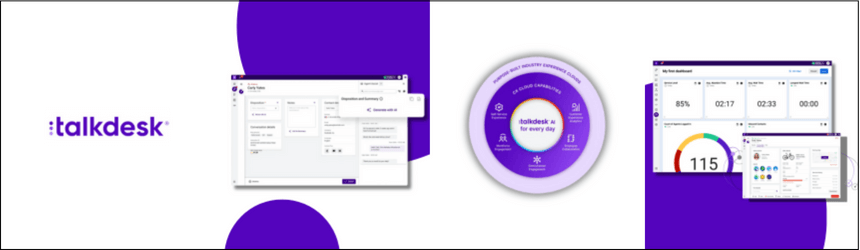
Talkdesk is a highly effective call center quality assurance software platform that offers end-to-end solutions for contact centers.
This cloud-based tool enables better performance with the help of a detailed evaluation cycle. It is a highly intuitive platform that can streamline the entire process of call quality management.
It has a user-friendly interface with various features.
These include call recording, conversation screening, multi-channel transcription, and more.
Its customer touchpoint mapping helps evaluate the customer’s journey.
It features time-stamped annotations for agent feedback. Don’t miss the AI-based speech analytics and automated scoring, which make it one of the best choices for teams seeking powerful call center monitoring software.
- Pricing: Starting from $75/user/month
- Free plan available: No
- Strengths: Dashboards, call quality, customizable, onboarding process
- Areas of improvement: Reporting, connectivity, recurring technical issues
- G2 Ratings: 4.4 out of 5, based on 1500+ customer reviews
Best For:
Automated scoring, speech analytics, call quality management, remote call monitoring
Pros
- 90% of users are satisfied with the platform’s functionality and capabilities.
- 78% of users satisfied Talkdesk makes handling calls more efficient when compared to other systems.
- Most of the users are satisfied with the telephony service as compared to other telephony systems.
- Talkdesk’s integration capabilities, comprehensive reporting features, and efficient workflow.
- 95% of users appreciate the platform’s customer service team for being efficient and responsive.
Gintarė R.
We also appreciate the wide range of statistics that Talkdesk provides. Being able to see real-time statistics helps us manage our workflow and allows agents to exercise self-control.
Cons
- About 75% of users expressed dissatisfaction impacted by connectivity problems, which included dropped calls and poor call quality.
- Almost 60% of customers complained that it has limited customised options to meet their unique demands.
- More than half of the users reported that it was difficult to integrate with other platforms.
- Majority of users complained that the platform reported having trouble while collecting and reporting data.
- More than 70% of users reported talkdesk’s reliability and dependability.
Adam C.
Talkdesk provides so much data in the way of default dashboards and reports along with the ability to create customer reporting, but it’s a little difficult to navigate.
10. EvaluAgent
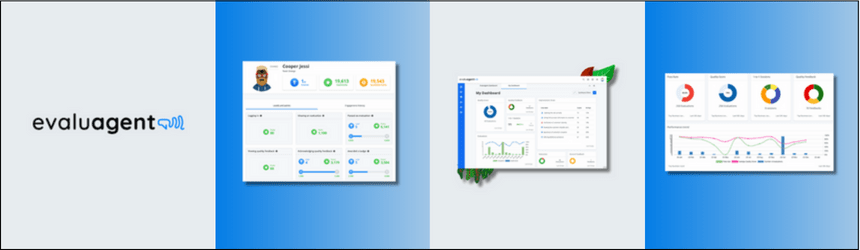
EvaluAgent is a contact center quality assurance software that ensures compliance and improves agent performance.
It can be a part of the contact center’s process of evaluation, training, and engaging the employees.
Thus, it can be used to unlock the team’s potential to provide an unparalleled customer experience.
It integrates CRM tools and a Learning Management System. Thus, it provides high-speed innovations in the field of customer care.
It is instrumental in recording and rating interactions by call, chat, and email. These help categorize and assess the quality of communications and regulatory compliance automatically.
- Pricing: Custom pricing based on business requirements.
- Free Trial: Available for a limited period.
- Language Supported: Multiple languages.
- G2 Reviews: Rated 4.5/5 (link to customer reviews)
After carefully going through numerous customer reviews of Evaluagent from trusted platforms such as G2 and Capterra, we have curated the following analysis.
Pros
- 90% of users are satisfied with the platform’s usability and ability to raise team performance, according to customer feedback.
- EvaluAgent improves their quality monitoring procedures, enabling businesses to spot problem areas and uphold high service standards.
- Almost 85% of customers indicate that evaluagent saves time.
- This platform enables managers to make data-driven decisions and provide clear visibility into agent performance trends.
- EvaluAgent promotes accountability among team members by offering clear feedback and recognition.
Imelda W.
It incorporates everything pertaining to evaluation of quality: evaluations, Calibration, and Coaching. I also like the bit about agents being able to acknowledge the scores received. It has a very good interphase that is very easy to navigate. Evaluations are made possible through the integration of other CRM with Evaluagent which is a plus.
Additionally, the chronological timeline of QA cases makes it easy to see developments and improvements for individuals.
Cons
- It is more difficult for users to adapt the platform to their particular workflow and reporting needs due to this lack of adaptability.
- Approximately 70% of clients complained about integration issues, especially with lack of connectivity.
- Slow loading times and system latency affected the user experience for more than 60% of the consumers.
- More than half customers are facing difficulties in reporting feature of the platform.
- Almost 80% of users face difficulties with the system’s learning curve, especially for non-technical users.
Imelda W.
I would like it to have speech analytics to help us analyze some unique words that are useful to the business. Speech analytics will let us know if agents use specific business terms to promote or sell the company more.
C. What are the real benefits of using call monitoring software?
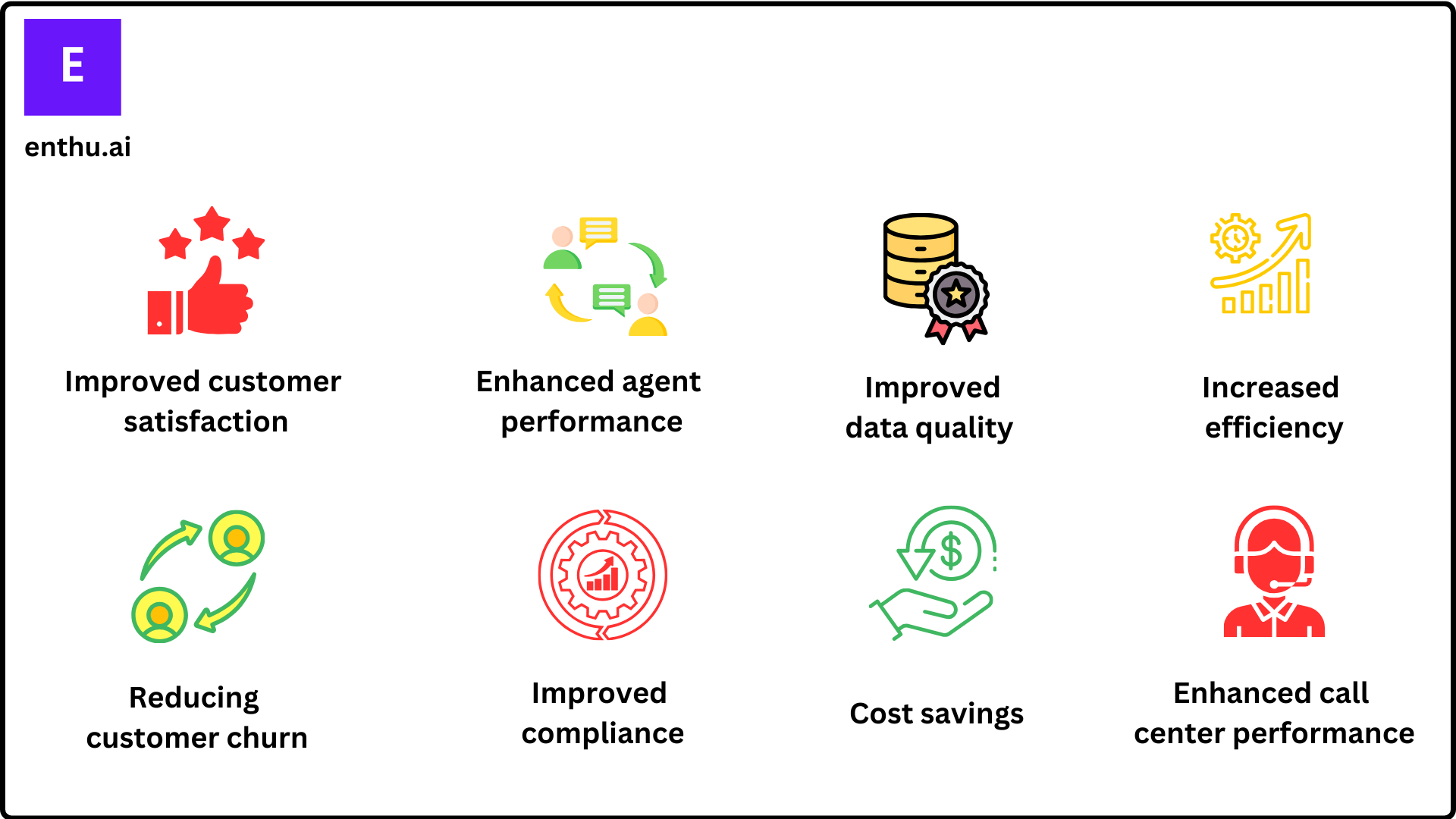
There are many benefits of call monitoring systems and quality monitoring programs, including:
1. Improved customer satisfaction
Quality monitoring identifies issues or trends in customer interactions that may be causing frustration or dissatisfaction.
This helps call centers to address these issues and improve customer satisfaction and net promoter score.
2. Enhanced agent performance
Quality monitoring helps call center managers identify areas where agents need additional training or support. This can lead to improved agent performance and increased efficiency.
3. Increased efficiency
By identifying and addressing issues that are causing delays or inefficiencies in the call center, a quality monitoring program can help to streamline processes and improve overall efficiency.
4. Reducing customer churn
By ensuring that calls are of a high quality, quality monitoring can help to reduce customer churn.
5. Cost savings
By improving the quality of calls, quality monitoring can help to reduce the cost of customer service.
6. Improved compliance
Call centres may use quality monitoring to ensure that the agents are following business norms and standards, along with business policies and procedures.
7. Enhanced call center performance
By continuously monitoring and improving the quality of customer interactions, call centers can improve their overall performance and achieve better results.
8. Improved data quality
Quality monitoring can help to improve the quality of data collected from call centre interactions, which can be used for further analysis.
D. What are the best practices for call centre quality monitoring?
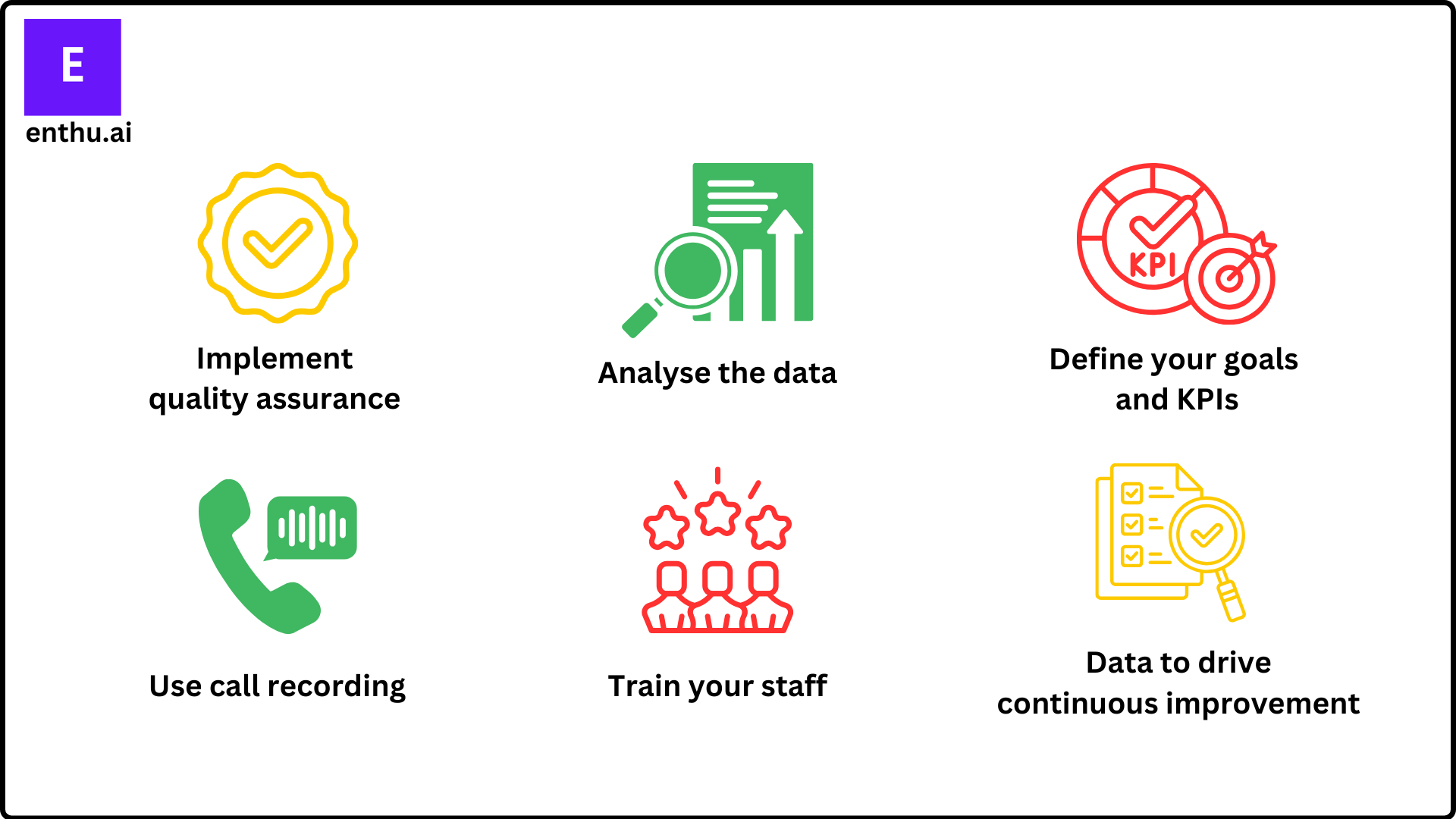
1. Define your goals and KPIs
The first step is to establish clear goals and objectives for the call center monitoring process.
This will help to ensure that the KPIs are focused on the areas that are most important to the call centre and its customers.
2. Train your staff
It is vital that your staff is properly trained in how to use the call center software and systems that are in place.
If they are not properly trained, then they will not be able to make full use of the capabilities of the system, which could, in turn, impact the overall efficiency of the call centre.
3. Implement quality assurance measures
By putting quality assurance measures in place, you can help to ensure that the data that is being collected is accurate and that it is being used effectively.
4. Use call recording
Call recording is an important part of call centre monitoring, as it allows you to listen back to calls and identify any areas where improvements can be made.
It is also a valuable training tool, as it can be used to help new staff members learn about the processes and procedures that are in place.
5. Analyse the data
Once you have collected the data, it is important to analyze it and see what trends or patterns emerge.
This can help to identify areas where improvements can be made and help to improve the overall performance of the call centre.
6. Use data to drive continuous improvement
Quality monitoring should be an ongoing process, and the data collected should be used to identify trends and areas for improvement.
This can help call centers to continuously improve the quality of customer interactions.
Conclusion
Call quality assurance should be a top priority for contact center managers. Automating the monitoring process through the right call center quality monitoring software enhances quality management programs, replaces manual processes, and brings consistency and efficiency to every interaction.
The right call monitoring software can boost agent productivity, improve performance, and ultimately deliver a better customer experience.
FAQs
1. How do you measure quality in a call center?
Quality in a call center can be measured using various metrics and evaluation methods, such as call duration, first call resolution rate, customer satisfaction scores, and compliance with industry regulations and company policies. These metrics can be tracked and analyzed to identify trends and areas for improvement.
2. How do you monitor call center performance?
There are several ways to monitor call center performance:
- Track key performance indicators (KPIs)
- Use call monitoring software
- Conduct customer satisfaction surveys
- Review reports and data
- Conduct agent evaluations
3. What is QMS in a call centre?
QMS stands for Quality Management System. In a call centre, it refers to the processes and procedures implemented to ensure that customer interactions are handled efficiently and effectively, and that customer satisfaction is consistently met or exceeded.
4. What should you look for when choosing a call monitoring solution?
Buyers typically evaluate platforms based on feature completeness, ease of use, integrations, scalability, security, and total cost of ownership. A good solution should fit seamlessly with your CRM or helpdesk tools, offer intuitive dashboards for QA teams, comply with regulations like PCI-DSS or GDPR, and deliver measurable ROI in time savings and quality improvement.
5. What industries benefit most from call monitoring software?
While every customer-facing team can benefit, regulated industries like finance, healthcare, and insurance rely heavily on call monitoring tools for compliance, data security, and audit trails. Sales teams use conversation intelligence features for deal insights and real-time coaching, while support teams need omnichannel QA to track quality across calls, emails, and chats.
6. What are the common challenges users face with call monitoring platforms?
Users often report issues like steep onboarding learning curves, slow performance under high data loads, or limited customization and integrations. Others cite rigid workflows and high-tier pricing for advanced features. The most praised tools overcome these by offering fast setup, reliable performance, open APIs, and intuitive UIs that don’t require heavy training.

 On this page