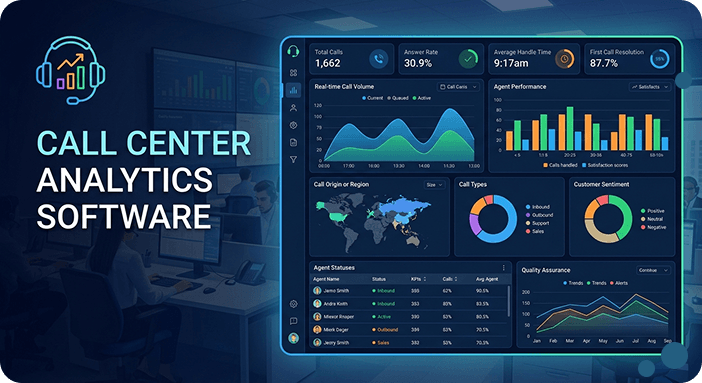
Did you know that 32% of customers will leave a brand after just one bad experience? Experience is everything, and it’s your responsibility to get it right.
Call center analytics software provides a clear view of your customer journey so that you can optimize major KPIs.
By tapping into the wealth of historical and real-time customer interaction data, you can uncover insights to transform your operations, provide tailored coaching to agents, and boost customer satisfaction.
Whether it’s understanding how customers feel or spotting emerging trends, call center analytics gives you the tools you need to make smart decisions.
In this guide, you’ll discover the five essential types of call center analytics and how to use them effectively. Explore the key benefits and challenges of implementation, and compare the top analytics software platforms of 2026 to find the perfect solution for your team.
What is call center analytics?
Call center analytics is the process of collecting and analyzing a call center’s key performance indicators (KPIs) and metrics to improve agent performance, customer experience, and operational efficiency.
Contact center analytics use data from multiple sources, such as:
- Emails
- Voice call transcriptions
- Chats
- CRM software
- IVR (Interactive Voice Response) input
- Customer surveys
By analyzing the number of calls your agents take each day, the time it takes them to handle a call, and their performance in solving customers’ inquiries, you can determine what they’re doing well and what they need to improve.
Today, you can also easily leverage call center analytics software to see what’s going well and what needs improvement.
And with features like real-time alerts and predictions, you can stay on top of things and fix any issues before they become big problems.
What are the main types of call center analytics, and how to use them?
Call center analytics transform raw data into actionable insights that drive better customer experiences and operational efficiency.
By leveraging different call analytics types, contact centers can optimize agent performance, predict customer needs, and deliver personalized service across all touchpoints.
Let’s explore the various types of contact center analytics and how you can use them.
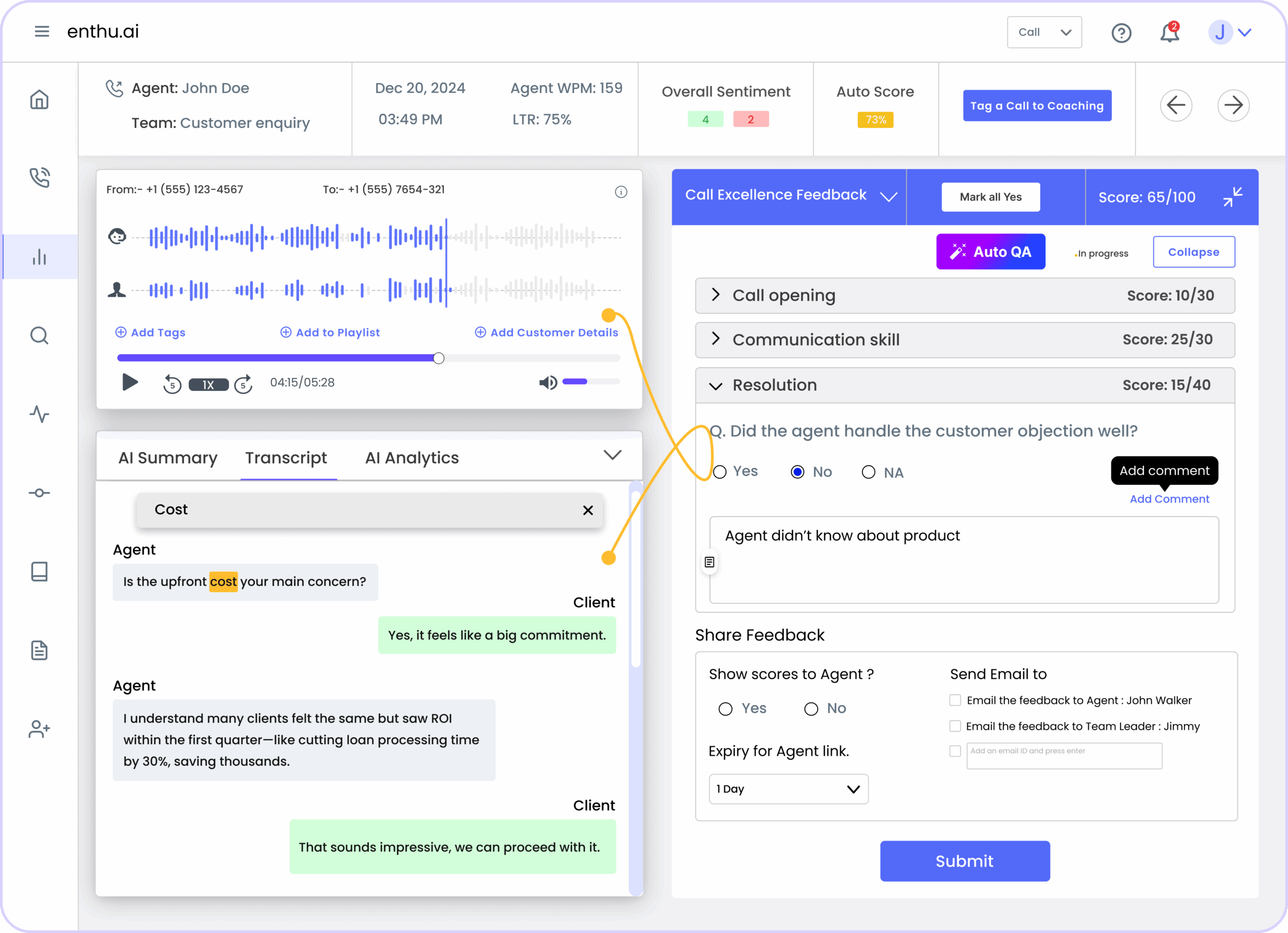
1. Speech analytics
Speech analytics uses AI to analyze voice conversations, identifying keywords, speech patterns, tone, and emotional cues in customer calls. It transcribes calls automatically and monitors sentiment to reveal agent performance and customer experience quality.
How to Use It
- Identify Customer Sentiment: Detect emotions in customer interactions to gauge satisfaction.
- Monitor Compliance: Ensure agents adhere to regulatory requirements.
- Improve Scripts: Analyze keywords and phrases to refine agent scripts for better engagement.
2. Text Analytics
Text analytics applies AI-powered pattern recognition to written communications including emails, SMS, chat transcripts, surveys, and social media interactions. It identifies trends, sentiment, and key themes across all text-based customer touchpoints using natural language processing.
How to Use It
- Analyze Customer Feedback: Identify common pain points and areas of improvement.
- Enhance Chatbot Efficiency: Optimize chatbot responses based on frequent customer inquiries.
- Monitor Brand Reputation: Track customer sentiment across social media channels.
3. Predictive Analytics
Predictive analytics leverages machine learning algorithms and historical data patterns to forecast future outcomes like call volumes, customer behavior, and churn risks. It uses data mining, statistical analysis, and AI models to enable proactive decision-making.
How to Use It
- Reduce Churn Rate: Identify at-risk customers and take proactive measures to retain them.
- Optimize Workforce Management: Forecast call volume to schedule the right number of agents.
- Enhance Sales Opportunities: Predict buying behavior to offer relevant product recommendations.
4. Descriptive Analytics
Descriptive analytics examines historical call center data to understand what happened, tracking key performance indicators like average handle time, first call resolution, abandonment rates, and customer satisfaction scores. It pulls from call recordings, routing data, and agent productivity metrics to evaluate operational effectiveness.
How to Use It
- Monitor Call Volume Trends: Understand peak hours to allocate resources efficiently.
- Evaluate Agent Performance: Track key performance indicators (KPIs) like first-call resolution and average handling time.
- Improve Service Quality: Identify gaps in customer service and implement necessary improvements.
5. Prescriptive Analytics
Prescriptive analytics recommends specific actions for optimal outcomes, using advanced algorithms and machine learning to suggest the best course of action for each situation, such as which agent should handle a call or when to escalate. It pulls from historical patterns, real-time data, agent performance history, and customer profiles to guide decision-making and drive continuous improvement.
How to Use It
- Automate Decision-Making: Use AI-driven insights to guide agents in real-time.
- Personalize Customer Interactions: Suggest next-best-action recommendations for better customer engagement.
- Optimize Call Routing: Direct calls to the most suitable agent based on past interactions and expertise.
5. Real-Time Analytics
Real-time analytics provides live visibility into contact center operations as interactions happen, monitoring active calls, queue status, agent availability, and current performance metrics. It delivers immediate insights into service levels, customer sentiment, and team capacity through live dashboards.
How to Use It
- Monitor Live Calls: Track agent performance in real-time and offer coaching when needed.
- Detect Call Escalations: Identify frustrated customers and intervene before escalation.
- Improve Response Time: Reduce wait times by reallocating agents during high call volumes.
Top 5 call center analytics software in 2026
Selecting the right call center analytics platform depends on your specific needs, team size, and operational priorities.
We’re sharing the top 5 contact center analytics software so you can compare and choose one that best fits your business needs, goals and budget.
1. Enthu.AI
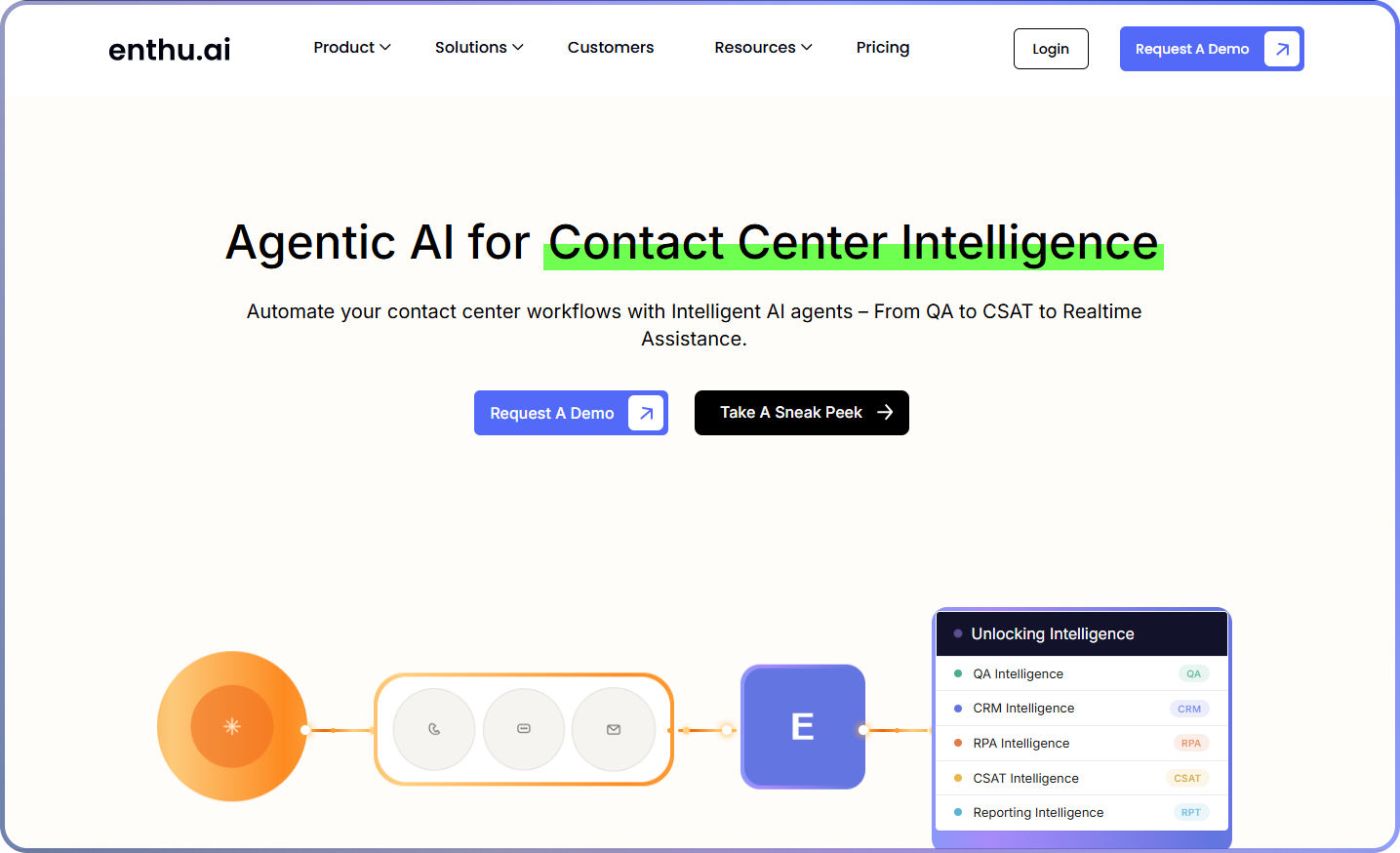
Enthu.AI evaluates 100% of your voice calls, transcribes them, and does relevant analysis on the transcriptions.
It is specifically developed for contact centers and sales teams, providing insights into key call moments, agent performance, coaching opportunities, and customer insights.
Every aspect of Enthu.AI is to simplify call monitoring, sales coaching, and training center analytics.
Enthu.AI stands out as the best call center analytics software for several reasons:
- Comprehensive call monitoring: It monitors call quality across all agents without missing any conversations, ensuring thorough analysis.
- Accurate speech recognition: It boasts top-rated accuracy in speech-to-text conversion for various English dialects, enhancing understanding and analysis.
- User-friendly interface: Enthu.AI presents detailed call reviews in an easy-to-understand format, making in-depth analysis accessible.
- Customizable features: Enthu.AI adapts to specific needs through customizable configurations, including defining critical call moments, teams, and evaluation forms.
- Security measures: Best-practice security features, such as PII redaction and enterprise-level encryption, ensure data privacy and safety.
- Flexibility and support: Enthu.AI offers flexibility with no annual commitment, no minimum agent commitment, and unlimited onboarding support, ensuring ease of adoption and scalability.
- Cost-effective: Being a cloud-based SaaS platform, Enthu.AI offers cost-effective solutions with no contractual obligations and discounts on annual plans
Enthu.AI provides comprehensive, accurate, and user-friendly analytics solutions with robust security measures, flexibility, and cost-effectiveness, making it the best choice for enhancing call center performance.
- Best For:Sales teams, consumer brands, small to mid-sized contact centers, D2C, appointment setters, and collections teams.
- Use cases supported: Quality assurance, agent coaching, process improvement, customer experience.
- G2 Rating: 4.9 out of 5
- Languages supported: English, French
- Key features: Top accuracy, 100% call coverage, agent-wise analysis, custom call moments, and custom evaluation forms.
- Pricing: Custom
Pros:
- Provides comprehensive call analysis with 100% coverage, eliminating sampling bias and ensuring no critical insights are missed
- Delivers high transcription accuracy with strong word recognition capabilities across various accents and audio conditions
- Offers quick integration setup with existing systems and low implementation costs compared to competitors
- Features a responsive customer support team that addresses issues promptly and provides ongoing assistance
- Automatically highlights key call moments, eliminating the need to manually review entire recordings for quality assessment
Cons:
- May experience complications during Zoom integration setup, requiring technical troubleshooting
- Custom pricing model lacks transparent upfront cost visibility for smaller organizations
- Reporting capabilities could be enhanced, though custom reports are available upon request
2. Nextiva
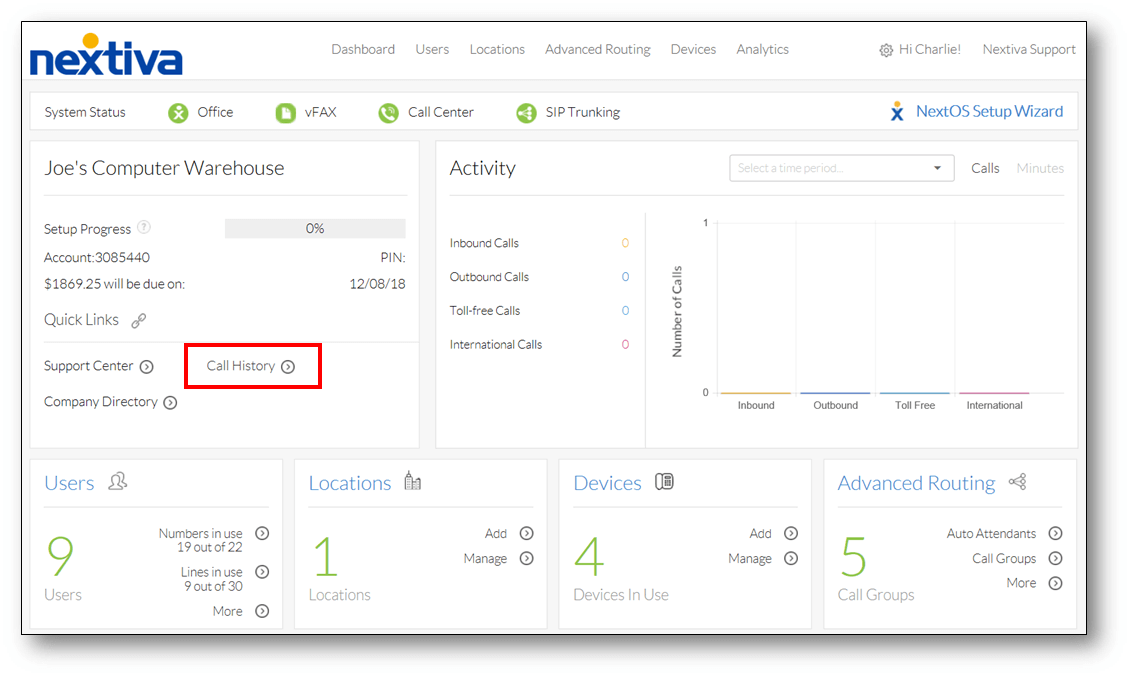
Nextiva provides simple and powerful tools for analyzing call center activities.
This call center software helps managers keep an eye on things like how many calls are coming in right now and how long people are waiting.
It also gives reports on important things like how often calls get resolved on the first try, how long people talk on calls, and how long they wait on hold.
Plus, it creates easy-to-read charts so managers can see how well each agent is doing and how the whole call center is performing.
- Best For: Small to mid-sized businesses, unified communications needs, teams seeking integrated business phone and contact center solutions
- Use cases supported: Quality assurance, performance monitoring, customer experience management, omnichannel support
- Pricing: Starting from $26/user/month
- Free plan available: Yes, 7-day trial
- Strengths: Onboarding process, powerful phone functions, ease of use, call quality, and reliable service
- Areas of improvement: Technical support response times, limited customization options, and porting process complexity
- G2 Ratings: 4.3 out of 5
Pros:
- Offers cost-effective communication with unlimited calling within the United States and Canada, including toll-free numbers
- Provides unlimited virtual meetings and internet faxing capabilities for seamless document delivery and collaboration
- Features exceptional customer service with highly responsive support teams that resolve issues efficiently
- Delivers excellent call clarity through both app and website interfaces, even in areas with poor cell service
Cons:
- Limited customization options may not meet specific business workflow requirements for complex operations
- Occasional call quality issues reported during peak usage periods or network congestion
- Customer support response times can be slower than expected, particularly for non-urgent inquiries
3. Talkdesk
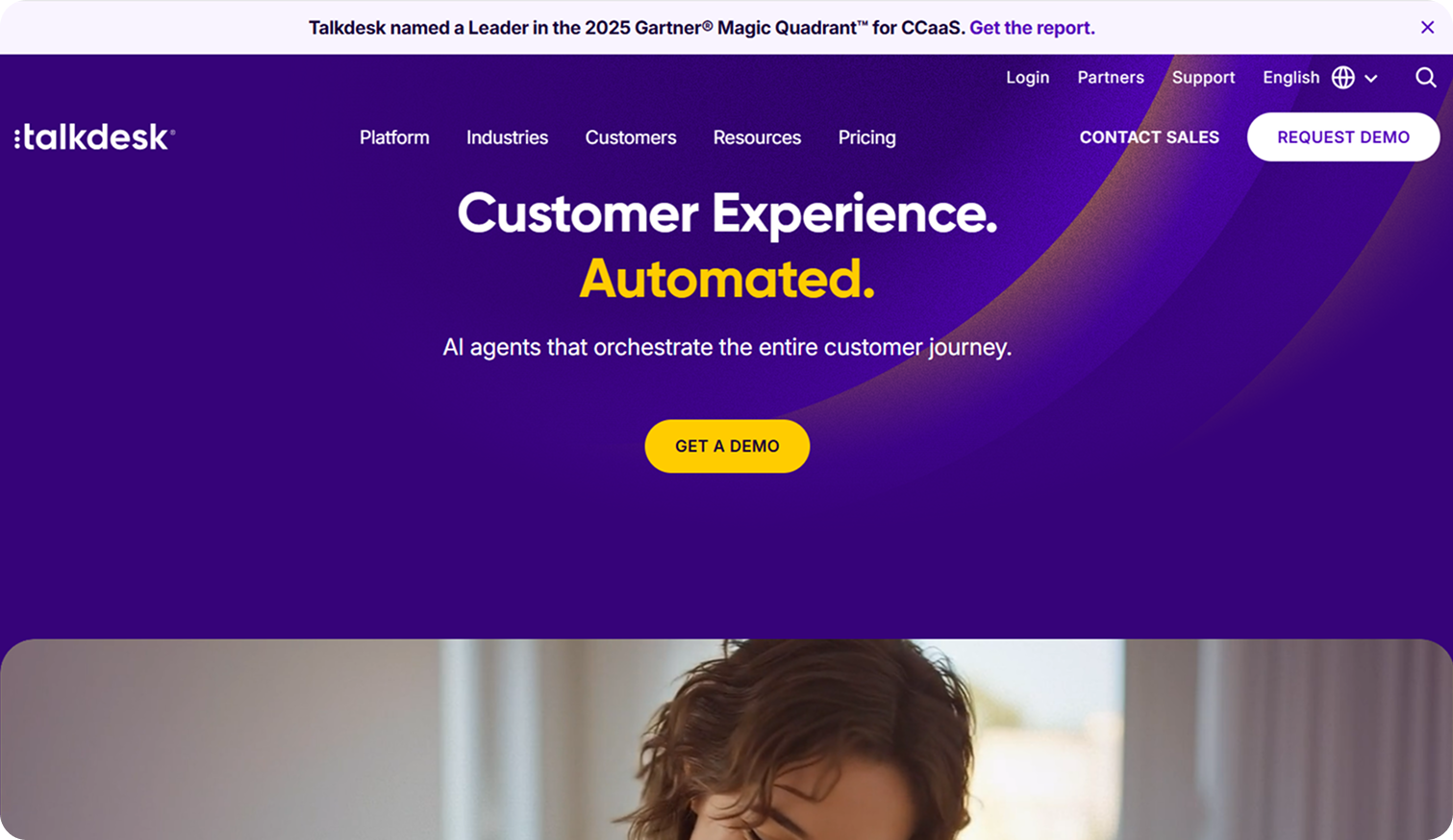
Talkdesk IQ stands out as the top call center analytics software with its AI-powered platform, providing real-time monitoring and trend analysis.
Its intuitive dashboard alerts managers to potential issues and compares performance against industry standards.
Additionally, Talkdesk iQ offers customizable chatbots and routing systems, empowering businesses to enhance customer service without the need for coding.
With a commitment to 100% uptime and ongoing product development, Talkdesk iQ ensures seamless operations and continual improvement for call centers.
- Best For: Mid-sized to enterprise contact centers, organizations prioritizing AI automation, businesses requiring extensive customization
- Use cases supported: Quality assurance, agent coaching, process improvement, customer experience optimization, AI-powered self-service
- Pricing: Starting from $75/user/month
- Free plan available: No
- Strengths: Customizable dashboards, call quality, intuitive interface, streamlined onboarding process, and advanced AI features
- Areas of improvement: Reporting complexity, occasional connectivity issues, recurring technical glitches, and customer support consistency
- G2 Ratings: 4.4 out of 5
Pros:
- Delivers a feature-rich platform with advanced AI capabilities, including intelligent routing and predictive analytics
- Offers highly customizable dashboards and workflows that adapt to specific business processes and requirements
- Provides a streamlined user interface that minimizes the learning curve for new agents and supervisors
- Integrates seamlessly with major CRM systems and business tools for unified data management
Cons:
- Higher pricing point compared to competitors may be prohibitive for smaller organizations or tight budgets
- Reporting functionality can be complex and overwhelming without proper training or technical expertise
- Connectivity issues reported by users, including call lag that impacts customer experience and agent productivity
4. Five9
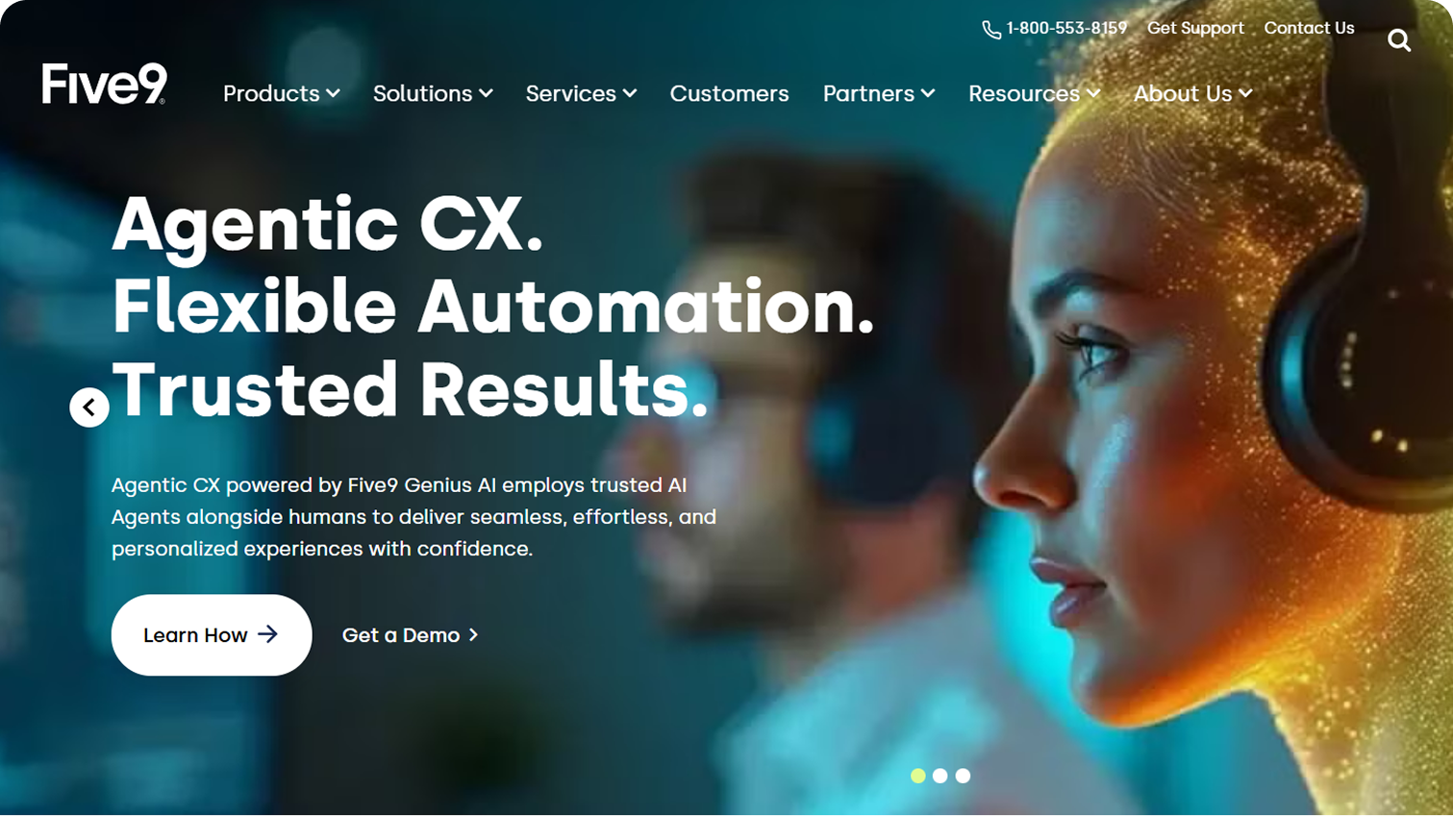
Five9 is a cloud-based contact center platform that centralizes voice and digital channels, providing intelligent routing, comprehensive analytics, and workforce management tools.
It brings practical AI capabilities to create personalized omnichannel customer experiences across phone, web, chat, email, mobile, and social media.
The platform offers 140+ pre-built reports and customizable dashboards combining real-time and historical data from CCaaS, CRM, WEM, and AI workflows.
- Best For: Mid-sized to enterprise contact centers, outbound sales teams, organizations requiring advanced analytics and predictive dialing
- Use cases supported: Omnichannel customer engagement, quality assurance, workforce optimization, performance analytics, compliance monitoring
- Pricing: Custom pricing based on requirements
- Free plan available: Demo available upon request
- Strengths: Strong reporting capabilities, CRM integration, real-time analytics, multichannel support, predictive and progressive dialers
- Areas of improvement: Add-on costs accumulate at scale, system complexity for smaller teams, occasional workflow issues
- G2 Ratings: 4.1 out of 5
Pros:
- Provides powerful reporting with 140+ pre-built reports and flexible dashboards for tracking critical KPIs
- Offers seamless CRM integration that automatically syncs interactions and eliminates manual data entry
- Features intelligent routing that predicts inquiry reasons using customer intent data for faster resolution
- Delivers comprehensive multichannel support enabling unified customer engagement across all touchpoints
Cons:
- Many advanced AI and automation capabilities are considered add-ons, increasing total costs significantly
- Platform complexity may overwhelm smaller teams without dedicated administrators or technical resources
- End-of-call workflows occasionally malfunction based on selected dispositions, requiring manual intervention
5. Observe.AI
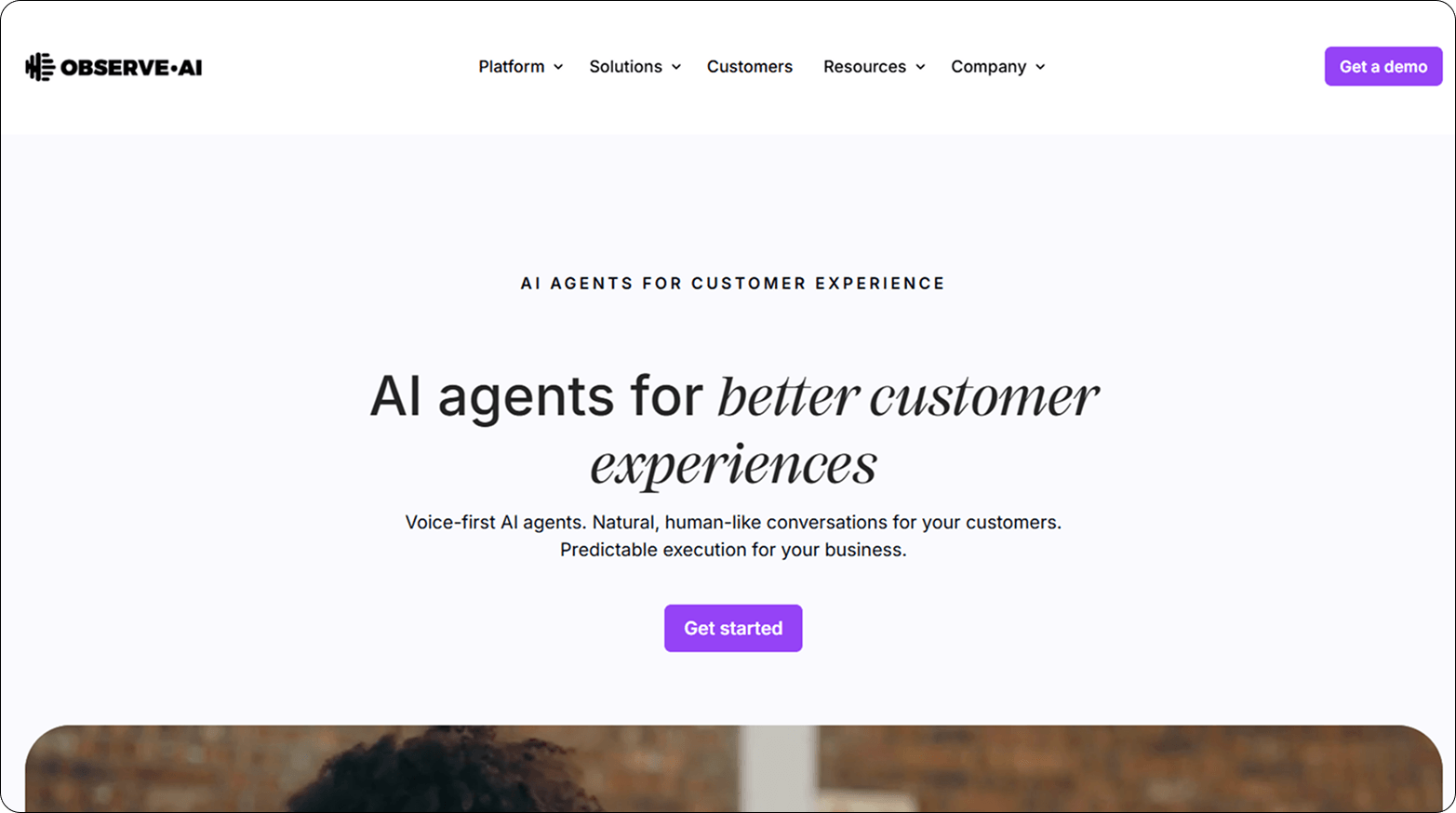
Observe.AI delivers natural, human-like voice analysis for call monitoring and quality assurance, detecting emotion and sentiment even in complex call center environments.
It features real-time speech analytics that transcribes calls and delivers actionable insights to boost agent performance and customer satisfaction.
The platform automates quality assurance with 100% call monitoring, providing deeper insights beyond traditional random sampling methods.
- Best For: Quality assurance teams, enterprise contact centers prioritizing sentiment analysis, organizations seeking automated call monitoring
- Use cases supported: Quality assurance automation, real-time agent coaching, sentiment analysis, compliance monitoring, performance improvement
- Pricing: Custom pricing based on call volume and features
- Free plan available: Demo available
- Strengths: Exceptional sentiment analysis, 100% call coverage, real-time agent guidance, easy-to-use interface, speech analytics accuracy
- Areas of improvement: Transcription accuracy with accents, call segmentation issues, system refresh errors, and incomplete data ingestion
- G2 Ratings: 4.6 out of 5
Pros:
- Features easy-to-use interface that allows non-technical teams and leaders to access call insights effortlessly
- Provides advanced AI for sentiment analysis and call visualization across multiple channels simultaneously
- Automates quality assurance with 100% call monitoring, eliminating bias from random sampling approaches
- Delivers real-time coaching and feedback using performance trends to drive continuous agent improvement
Cons:
- May face accuracy issues in sentiment detection and transcription, sometimes requiring manual review and correction
- Difficult audio conditions such as strong accents reduce transcription accuracy and sentiment analysis reliability
- Call segmentation sometimes breaks long conversations into parts, causing confusion or loss of contextual understanding
Pros and cons of using call center analytics
Call center analytics delivers powerful benefits for modern contact centers, but implementation also comes with challenges that organizations must consider.
Understanding both advantages and limitations helps you make informed decisions about analytics adoption and maximize return on investment.
Pros:
- Improve customer experience: Call center analytics provides valuable insights about customer interactions. You can analyze this data to identify pain points and areas for improvement, which leads to enhanced customer satisfaction.
- Enhance operational efficiency: With call center analytics, your managers and supervisors can track agent performance in real-time and identify performance issues and bottlenecks. You may also spot areas of inefficiency in your process. After implementing changes, you can monitor the outcomes to determine their effectiveness.
- Make informed decisions: By leveraging data-driven insights, you can make informed decisions regarding staffing, agent training, and process improvements. For example, you want to increase your sales and profit. With call center analytics, you can identify which product or service your customers like the most and then focus on marketing and selling those products or services.
- Boost agent performance: Call center analytics help agents do their jobs better by giving them useful, fact-based information. They can manage their time better, focus on what’s important, and figure out which sales pitches or support scripts work best. These analytics also make agents happier and less likely to quit by helping them handle their workload and provide better service.
Cons:
- Data Complexity: Managing and analyzing large volumes of data can be challenging and resource-intensive.
- Privacy Concerns: Analyzing customer interactions raises privacy concerns, and businesses must ensure compliance with data protection regulations.
- Skill Requirements: Implementing call center analytics requires specialized skills and expertise in data analysis and interpretation.
- Initial Investment: Setting up call center analytics infrastructure and software may require a significant initial investment.
What features should you look for in call center analytics software?
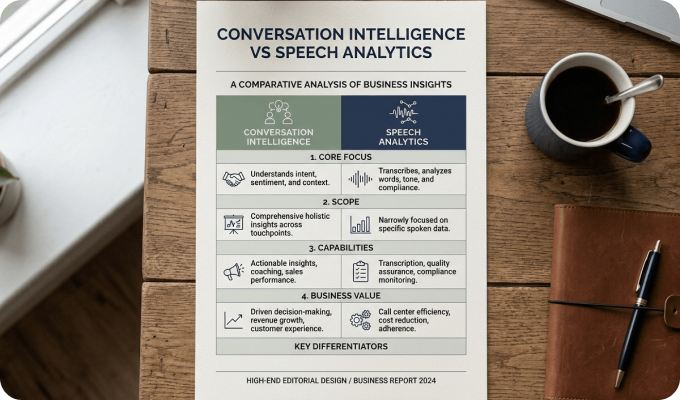
- Conversation Intelligence: Conversation intelligence tools analyze customer interactions to identify trends, sentiment, and areas for improvement.
- Speech Analytics: Speech analytics software transcribes and analyzes the content of customer conversations to extract valuable insights.
- Quality Assurance: Quality assurance features enable businesses to monitor and evaluate agent performance based on predefined criteria and standards.
- Call Monitoring: Call monitoring tools allow supervisors to listen in on calls in real-time or review recorded calls to ensure quality service delivery.
- Sales Coaching Software: Sales coaching software provides personalized coaching and training to agents based on their performance and identified areas for improvement.
- PII Redaction: Automatically detects and removes sensitive customer data to ensure compliance and security.
How to analyze call center data?
- Define objectives: Clearly define the objectives and key performance indicators (KPIs) you want to measure and improve through call center analytics.
- Collect data: Gather data from various sources, including call recordings, chat transcripts, emails, and customer surveys.
- Clean and prepare data: Cleanse and preprocess the data to remove duplicates, errors, and irrelevant information, ensuring accuracy and consistency.
- Apply analytics techniques: Apply analytics techniques such as descriptive, diagnostic, predictive, and prescriptive analytics to derive actionable insights from the data.
- Interpret results: Analyze the results to identify patterns, trends, and areas for improvement and develop strategies to address them.
- Implement changes: Implement changes based on the insights gained from the analysis and monitor their impact on performance and customer satisfaction.
Conclusion
Call center analytics software is a powerful tool for optimizing operations, improving customer experience, and driving business growth.
By leveraging the right contact center analytics software and techniques, businesses can gain valuable insights from customer interactions and make informed decisions to stay ahead of the competition.
Start harnessing the power of call center analytics today to unlock the full potential of your contact center.
FAQs
1. What are some common metrics used in call center analytics?
Common metrics used in call center analytics include average handling time (AHT), first call resolution (FCR), customer satisfaction score (CSAT), net promoter score (NPS), and agent utilization rate.
2. How can call center analytics help in improving agent performance?
Call center analytics can help in improving agent performance by identifying areas for training and coaching, optimizing resource allocation, and providing real-time feedback and guidance to agents during customer interactions.
3. What are some challenges associated with implementing call center analytics?
Some challenges associated with implementing call center analytics include data complexity, privacy concerns, skill requirements, and initial investment costs. However, the benefits of leveraging call center analytics outweigh these challenges, making it a worthwhile investment for businesses striving to enhance customer experience and drive growth.
4. What does call center analytics software do?
It collects and analyzes customer interactions, calls, chats, and emails—to uncover insights about performance, sentiment, and trends. The goal is to improve agent productivity, reduce costs, and boost customer satisfaction.
5. How is call center analytics different from call monitoring?
Call monitoring lets you listen to or review calls, while analytics goes deeper, identifying patterns, predicting outcomes, and suggesting actions based on data.
6. What’s the best call center analytics tool for small businesses?
Enthu.AI is ideal for small to mid-sized teams thanks to its customizable evaluations, affordable pricing, and 100% call coverage. It delivers advanced analytics without enterprise-level complexity.


 On this page